 Português
Wishlist and wardrobe for iPhone
Saw it. Tapped it. Saved it.
Saw an outfit on Shein, TikTok or Instagram? Two taps on the back of your iPhone and AI recognizes every piece on screen and saves it to your TapLook, with a studio photo, store and price. Then decide calmly, build outfits from what you already own and check whether you have a similar piece before buying.
Available on the App Store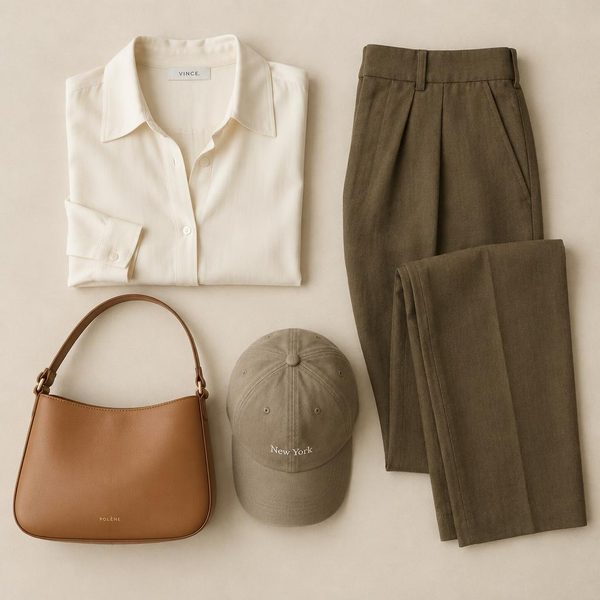
CASA LUME
Tailored trousers
R$ 99,90
One gesture, four ways to help
A piece in a store
Becomes a wish with a studio photo, store and price. If it's already on your list, today's price goes into your history.
An order or receipt
Pieces go into your wardrobe with price and date, from a store app screenshot or a photo of a paper receipt.
Someone's outfit
“Do I own it?”: TapLook shows which pieces of the outfit you already have and what's missing.
Before you buy
A similar-piece alert, 7 days to cool off and then deciding one wish at a time with a swipe: what you let go becomes savings.
Black Friday or Black Fraud?
Save pieces now. On Black Friday, double-tap them again: TapLook compares with the prices you logged and warns when the “sale” was cheaper in the previous 30 days. The history is yours, built by your taps: the app does not watch stores on its own.
Everything you own, in use
Wardrobe
Every piece with a studio photo (labeled as AI), sorted by category and color on its own.
Build an outfit
One row per category to swipe and a board where you drag the pieces. Share the outfit image.
Does it go with what I own?
On each wish: the app builds the outfit with your pieces, by color and style, before you buy.
Outfit of the day
Tap “Wearing it today” and keep your streak, with rest days each month and milestones.
Trips
Typical weather, a photo of the city, your packing list from your own pieces and an outfit for each day.
Spending
How much you spent per month, by store, and the cost per wear of each piece.
How it works
- Install the “Salvar no TapLook” shortcut (it keeps this Portuguese name; 1 minute, the app shows you).
- In any app, tap the back of your iPhone twice.
- Check what TapLook read and save it.
Weekly, monthly or annual subscription, with a 3-day free trial on the annual plan. Includes 100 studio photos a month on any plan in the US (23 a week on the weekly plan; in other countries the exact number depends on the local price and tax), screenshot reads with no counter and target prices. A photo only counts when it's delivered, your balance resets at every refill and credits don't roll over; with no photos left, pieces keep the original cutout. Automatic protections apply against unusual use (see the limits).
Your privacy
TapLook's AI reads your screenshots and creates studio photos only of your pieces, always labeled as AI. Screenshots are not stored, only the piece cutout, in your account. Nothing goes to AI without your consent, no photo trains AI, and you can delete everything in the app.